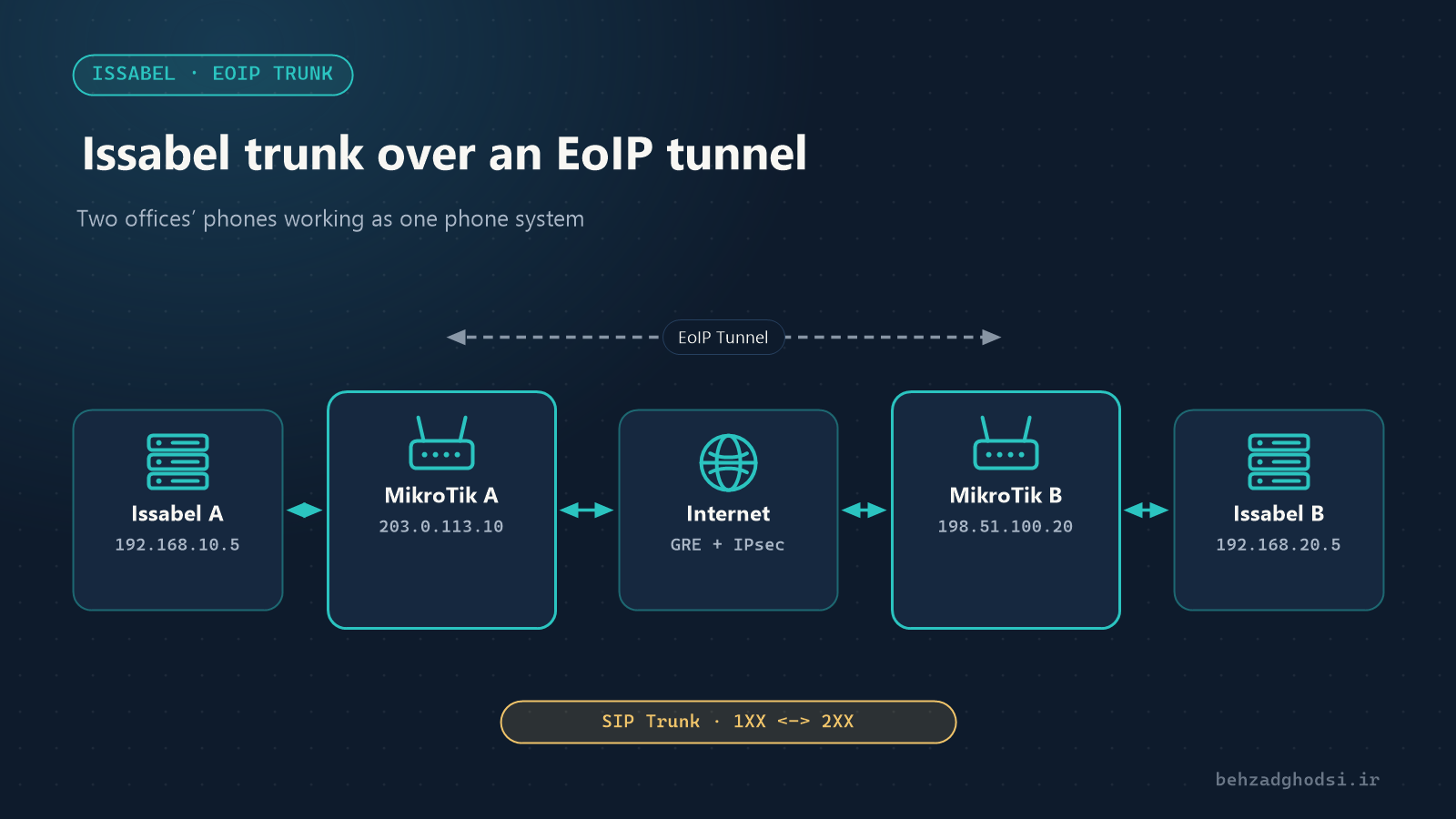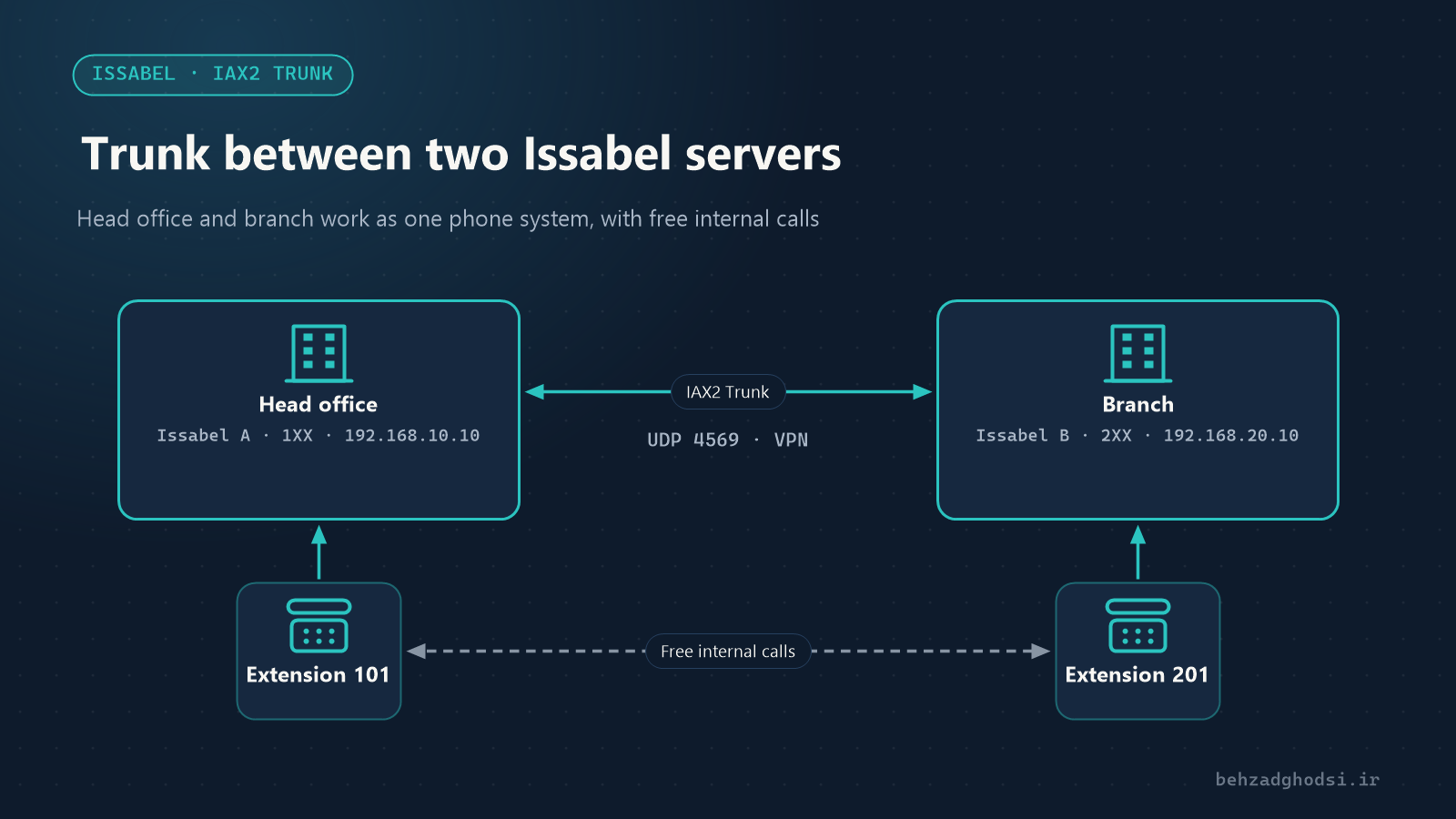
An organisation with a head office and a branch usually runs an Issabel phone system at each site. If the two servers are not connected, colleagues have to use public lines to call each other. With a trunk between two Issabel servers, extensions on both sides talk to each other free of charge, just by dialling the extension number.
The scenario in this article
- Issabel A at head office, address
192.168.10.10, extensions1XX(for example 101 to 199) - Issabel B at the branch, address
192.168.20.10, extensions2XX - The two sites are connected over the network, preferably by VPN or a dedicated link
One important condition: the extension numbers on the two servers must not overlap. If both servers have extension 101, routing is impossible. Settle the numbering plan before you start.
IAX2 or SIP?
A trunk between two Issabel servers can be built with SIP or with IAX2. This article uses IAX2 because:
- Voice and signalling use a single port (
UDP 4569), so firewall and NAT settings are simpler. - It is Asterisk’s native protocol, designed for connecting two Asterisk servers.
- With
trunk=yes, several simultaneous calls are combined into one stream and use less bandwidth.
If one side is not Issabel, or your network policy is SIP-only, the same logic works with SIP.
Step 1: create the trunk on Issabel A
From the PBX menu open PBX Configuration, then Trunks, and click Add IAX2 Trunk.
- Trunk Name:
to-branch - Outbound CallerID: leave empty so the caller’s extension number reaches the other side.
Under Outgoing Settings:
- Trunk Name:
branch - PEER Details:
host=192.168.20.10
username=hq
secret=Str0ng-Shared-Secret
type=peer
qualify=yes
trunk=yes
disallow=all
allow=alaw&ulaw
Under Incoming Settings:
- USER Context:
branch(the name server B sends as its username) - USER Details:
secret=Str0ng-Shared-Secret
type=user
context=from-internal
disallow=all
allow=alaw&ulaw
Click Submit.
Step 2: create the trunk on Issabel B
Do the same on the branch server, with the names and address reversed:
- Trunk Name:
to-hq - Outgoing Settings → Trunk Name:
hq - PEER Details:
host=192.168.10.10
username=branch
secret=Str0ng-Shared-Secret
type=peer
qualify=yes
trunk=yes
disallow=all
allow=alaw&ulaw- Incoming Settings → USER Context:
hq - USER Details:
secret=Str0ng-Shared-Secret
type=user
context=from-internal
disallow=all
allow=alaw&ulaw
The secret must be exactly the same on both servers. Choose a long, random one.
Step 3: the outbound route
The trunk alone is not enough; you have to tell Issabel which numbers to send to it.
On Issabel A, create a new route under Outbound Routes:
- Route Name:
to-branch - Dial Patterns: enter
2XXin the match pattern field. - Trunk Sequence: the
to-branchtrunk
On Issabel B, create a route with the pattern 1XX and the to-hq trunk.
Place the inter-branch route above the public-line routes in the Outbound Routes list so it is checked first. Finally click Apply Config on both servers.
Step 4: the firewall
If the Issabel firewall (Security → Firewall) or a network firewall is active, open UDP 4569 only for the other server’s address, not for the whole internet.
If the two sites are connected over the internet, run the trunk over a VPN between the two routers (for example IPsec or WireGuard on MikroTik) and do not expose the IAX2 port to the internet.
Step 5: testing and troubleshooting
Log in to the command line on each server and open the Asterisk console:
asterisk -rvvvCheck the trunk status:
iax2 show peersIf the trunk status is OK and a response time (in milliseconds) is shown, the link is up. Now dial 201 from extension 101.
Problems you will run into
- Status UNREACHABLE: the network link or port
4569is blocked. Start withpingand the firewall. - The call connects and drops, or you get an authentication error: the username, USER Context or secret do not match between the two sides.
- One-way audio: rare with IAX2; if it happens, check NAT and firewalls between the sites.
- Calls are not sent to the trunk: check the Outbound Route pattern and make sure no route with a broader pattern sits above it.
A security note about the context
In this example we used context=from-internal, which means a call arriving from the other server has the same access as a local extension, including access to public lines. That is common for two offices of one organisation that fully trust each other and are connected over VPN. If you do not want the branch to call out through head office’s public lines, use from-trunk instead of from-internal and create Inbound Routes for the extensions, or define a custom context.
With two IAX2 trunks, two Outbound Routes and one firewall rule, two Issabel servers work as a single phone system. The same method extends to three or more branches, as long as the numbering plan is right from the start.