
L2–L3 · LAN / WAN
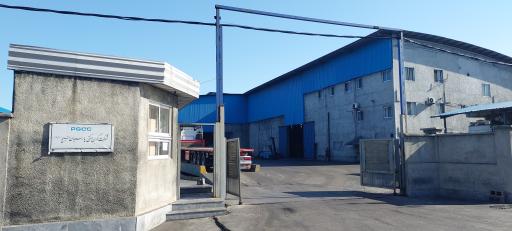
IT infrastructure design and deployment for a steel raw-materials plant
Design and deployment of integrated network, server, communications, VoIP, monitoring and video surveillance infrastructure in an industrial environment.
Slow or congested networks put in order with VLAN segmentation, proper routing and documented cabling.
The network is slow, outages keep coming back and nobody has an accurate map of it.
A review of the current setup, a layered design (core, distribution, access), traffic separation with VLANs and a phased roll-out with minimal downtime.
One site visit to understand the buildings and the requirements; a design and cost estimate follow.
Design and deployment of integrated network, server, communications, VoIP, monitoring and video surveillance infrastructure in an industrial environment.
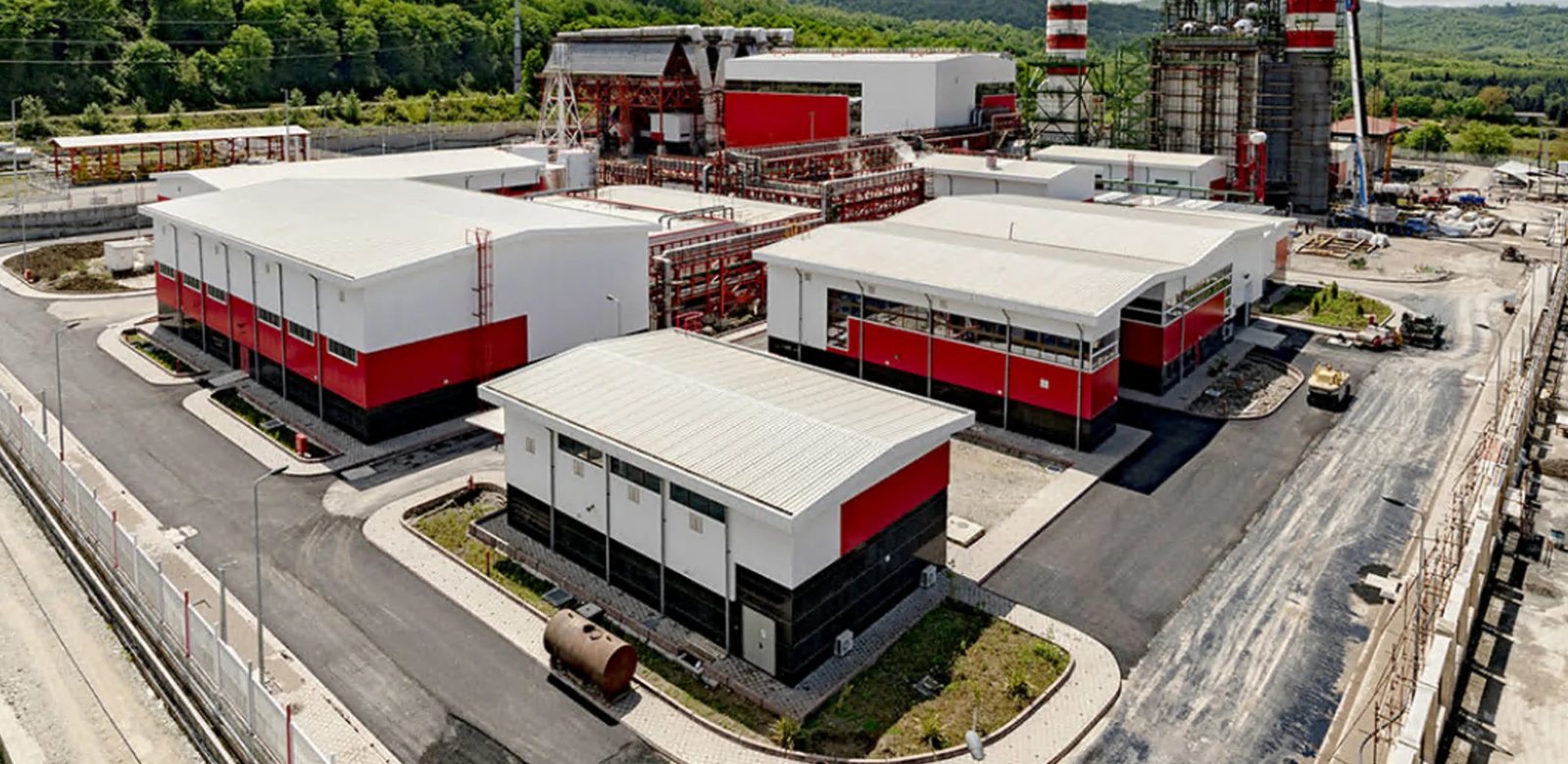
Wireless CCTV during construction, file servers, a VoIP server, firewall and internal email, plus support for the entire network of the Nowshahr combined-cycle power plant in Mazandaran.
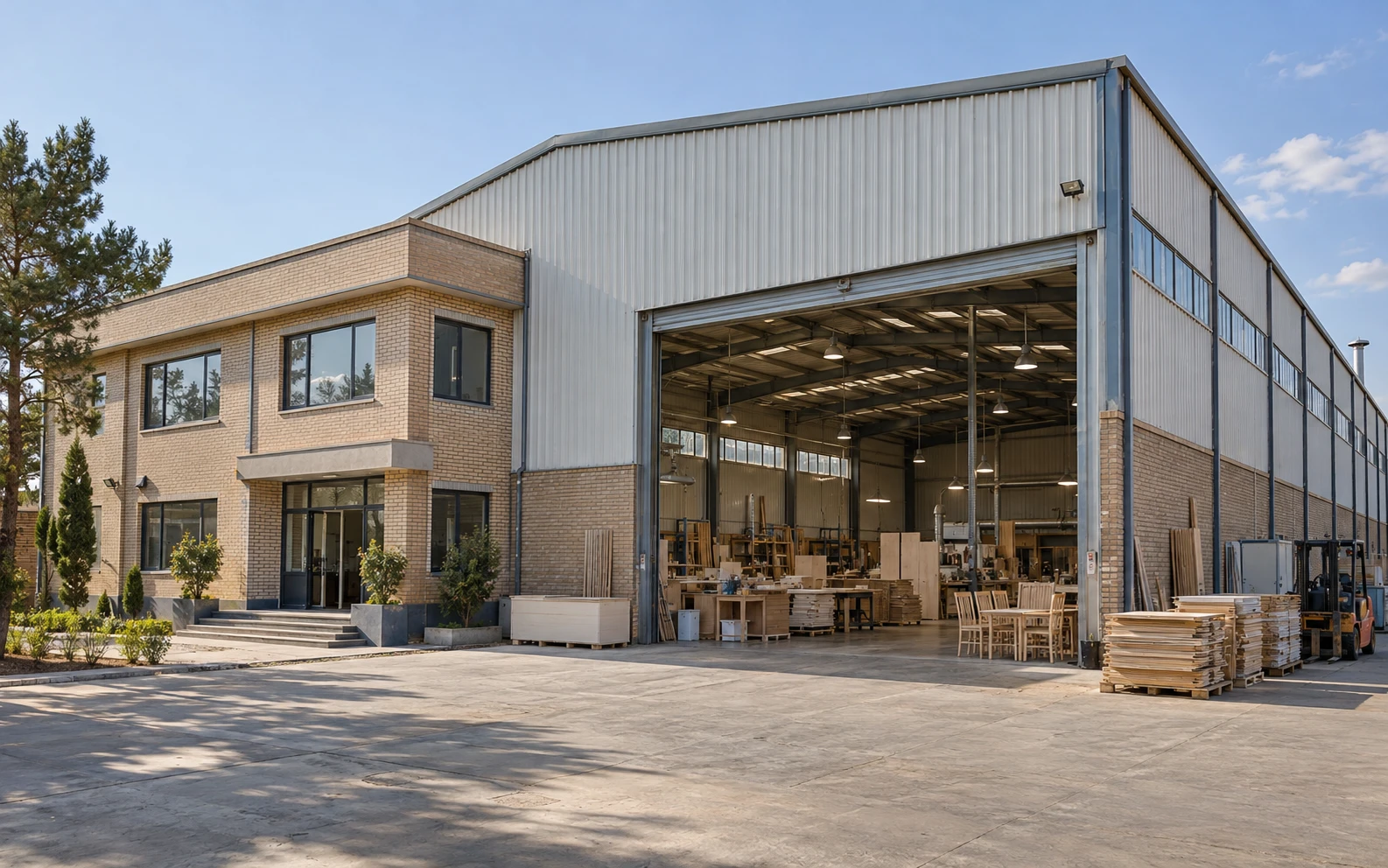
IP CCTV, structured cabling and a MikroTik router, an HP G9 server with ESXi, Active Directory and SharePoint, and an Issabel phone system with 25 extensions and 2 SIP lines.
After a site visit, based on the number of network points, distances, required equipment and the amount of cabling; you receive a written estimate.
Yes. The current network is reviewed and documented, and fixes are made in phases with minimal downtime.
Yes. Design, configuration, troubleshooting and documentation can be done remotely; on-site work is planned per project.
Logical and physical diagrams, the IP addressing and VLAN plan, device configurations and maintenance procedures.
Delivered on site for companies, factories, offices and shops across Mazandaran, Iran, and remotely for clients abroad. On-site cities include:
Write a few lines about your current setup and what you need; after a review I will propose the approach and an estimate.
Request a project reviewCall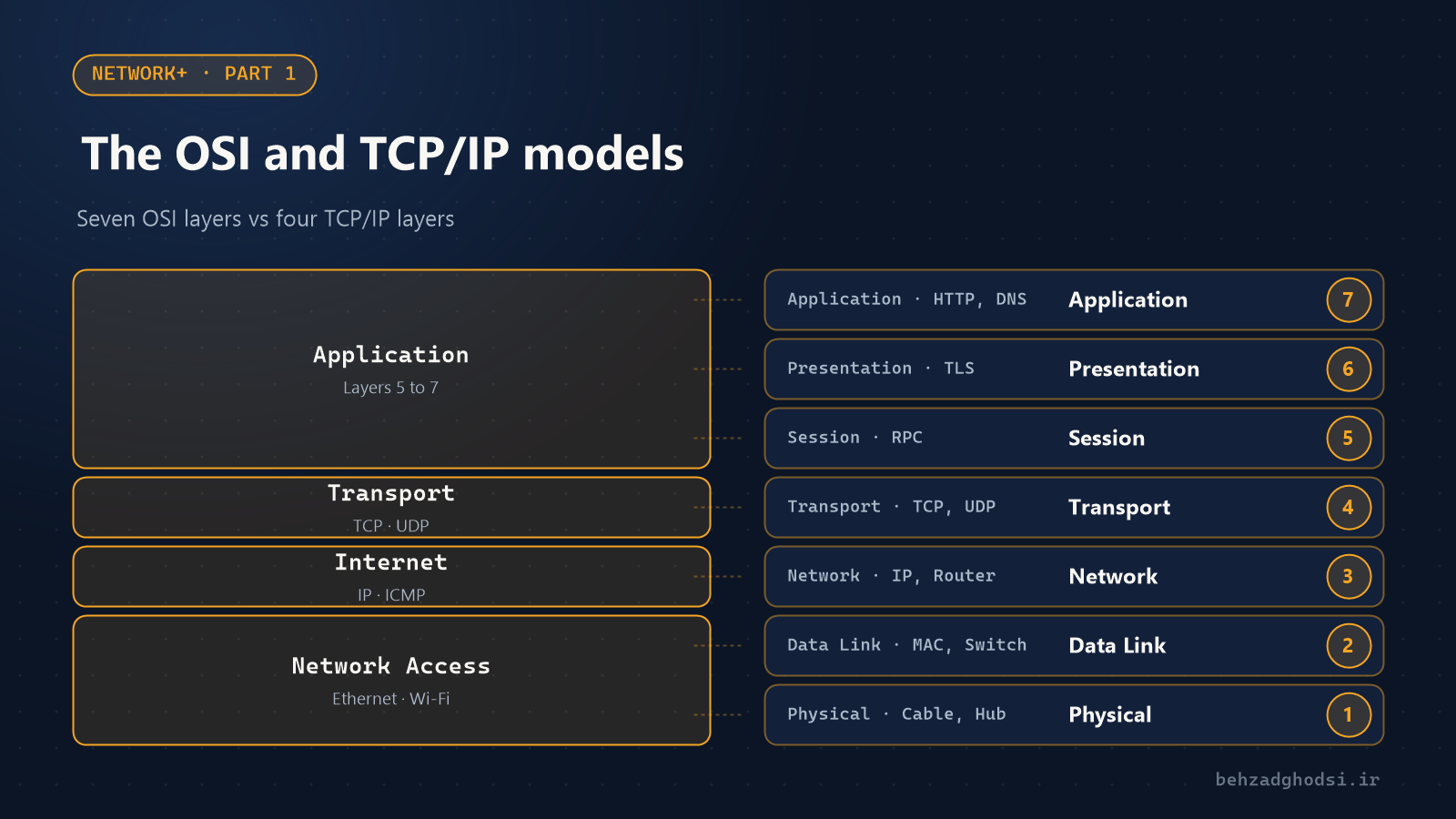
Learn the layers of the OSI and TCP/IP models with real examples: what each layer does, which devices and protocols live there, and how the layers help you find network problems faster.
· 3 min read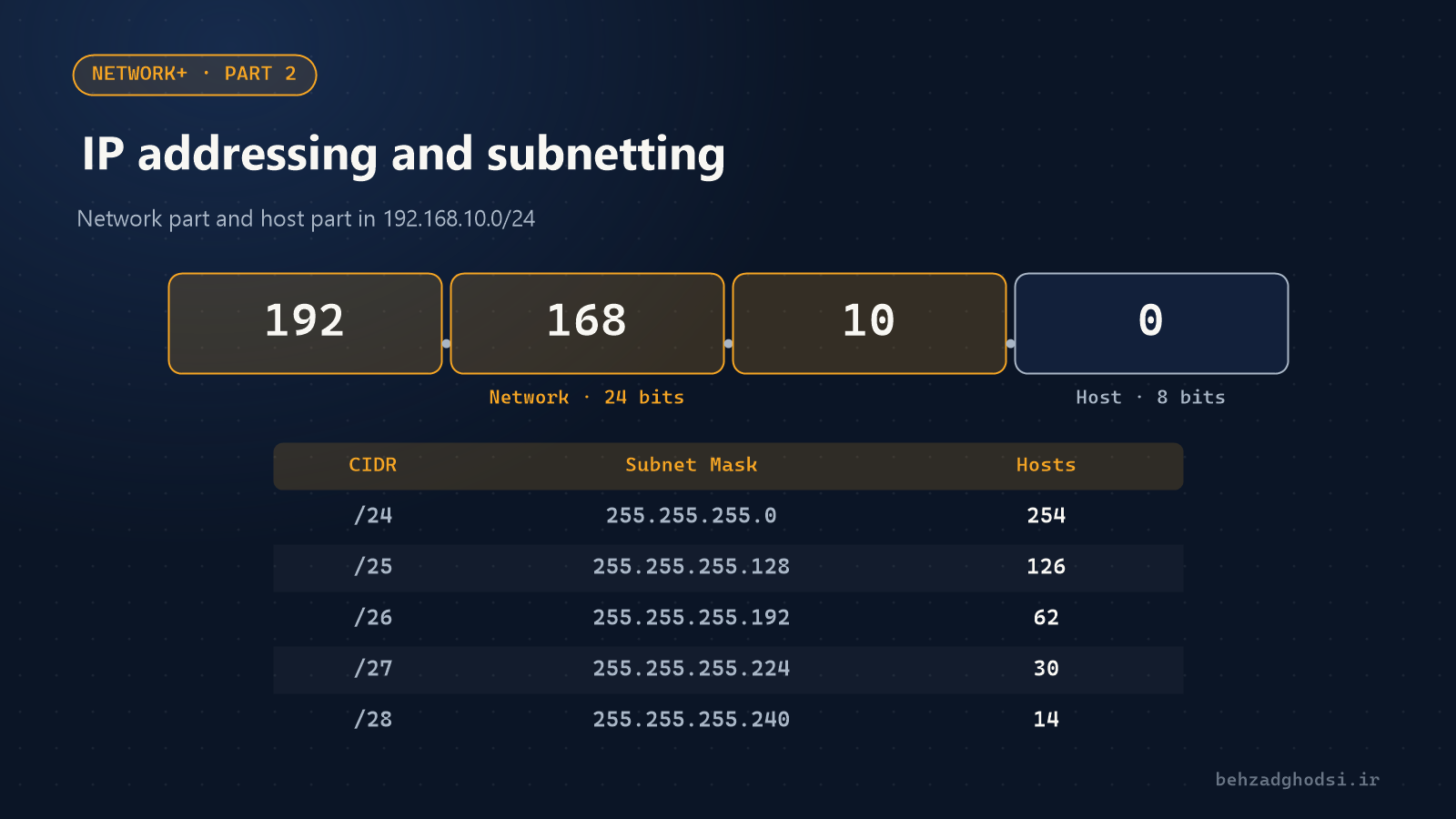
What an IP address is, what the subnet mask and gateway do, how private and public IPs differ, and how to calculate subnets with one simple table instead of complicated formulas.
· 3 min read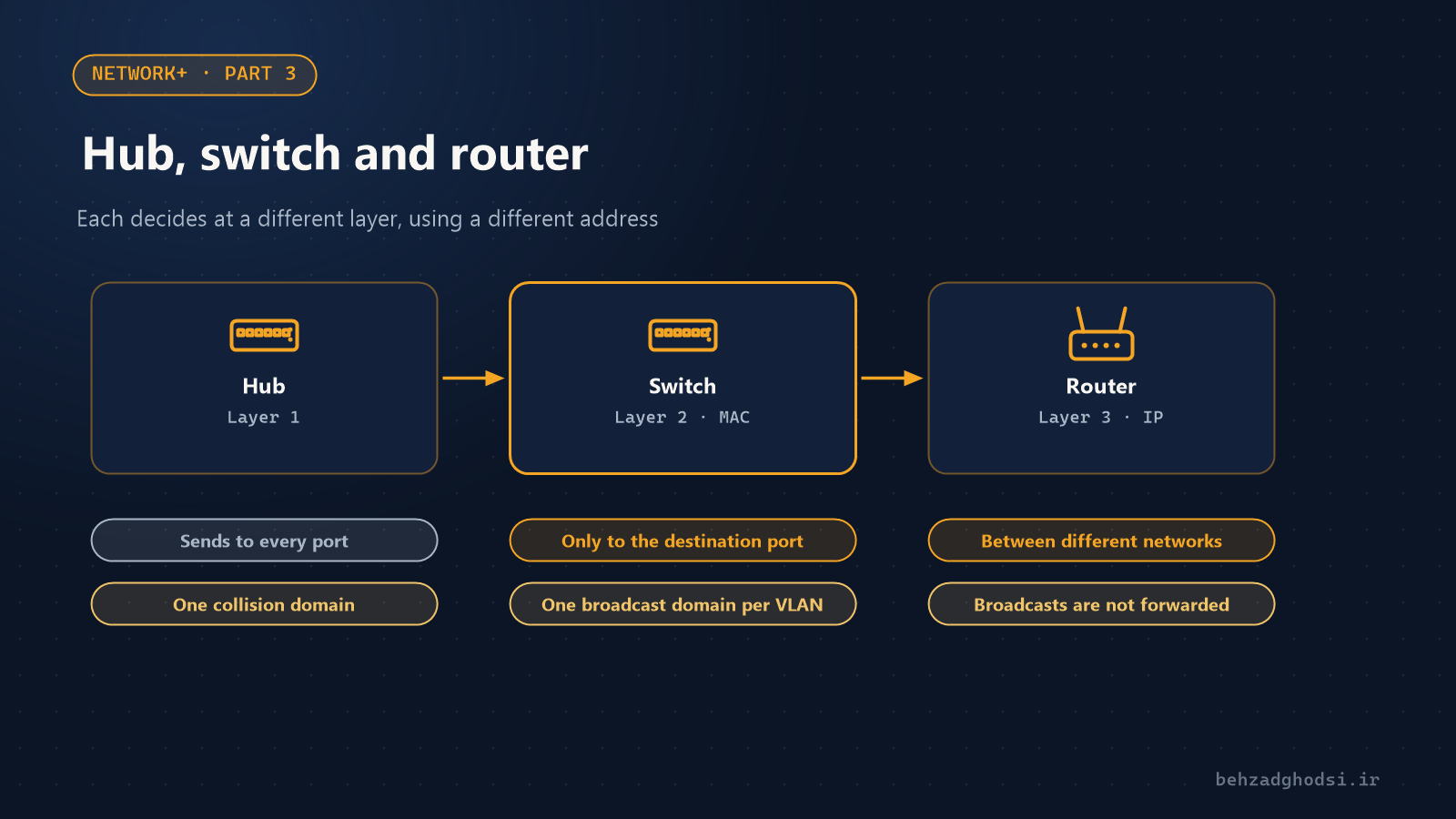
Hubs, switches and routers each work at a different layer. This part shows what each one does with packets, what MAC addresses and the ARP table are, what VLANs are for and how a layer 3 switch differs.
· 3 min read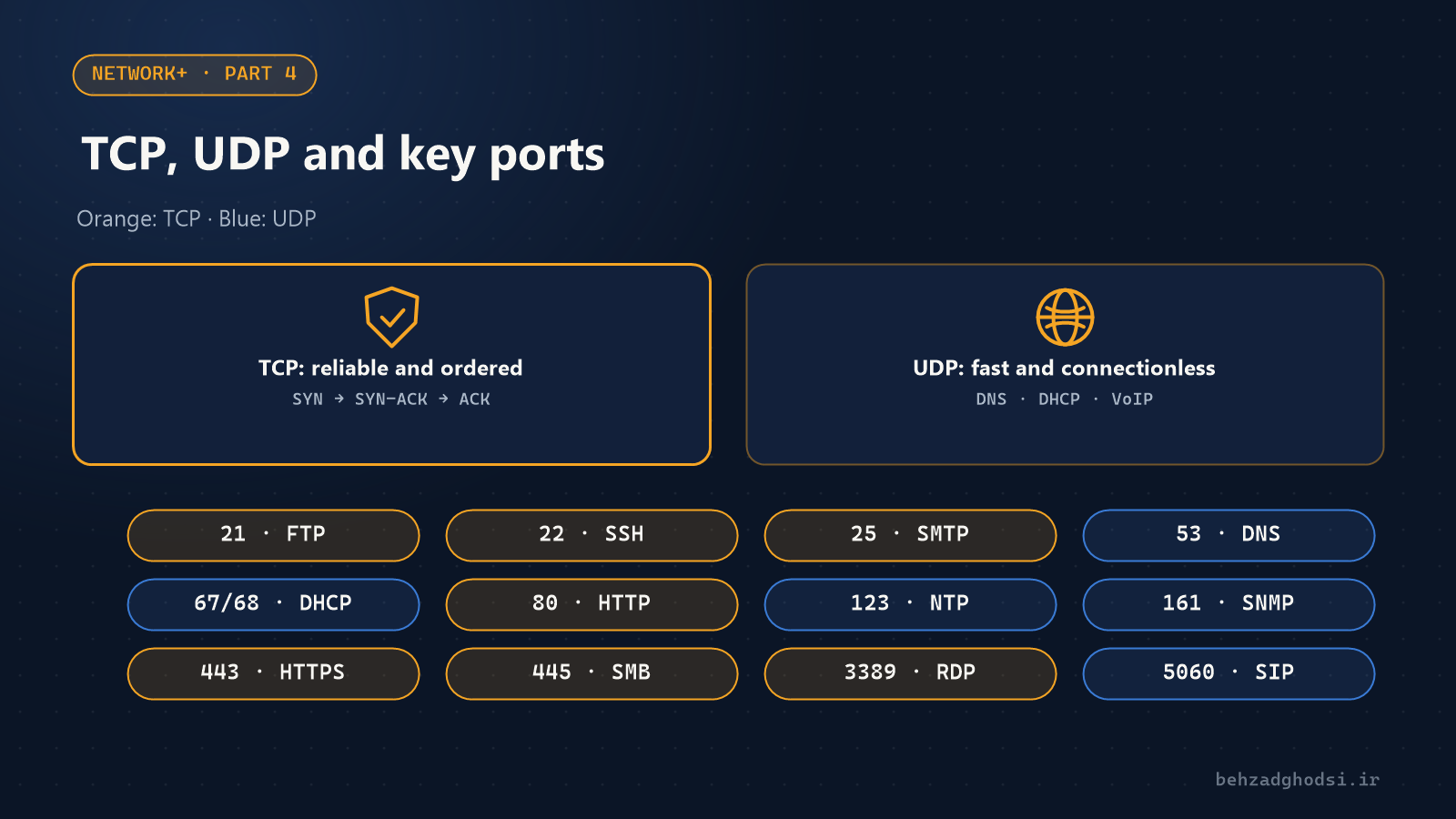
The difference between TCP and UDP, the three-way handshake, what a port is and the list of important ports every network engineer and Network+ candidate should know, with commands to check whether a port is open.
· 3 min read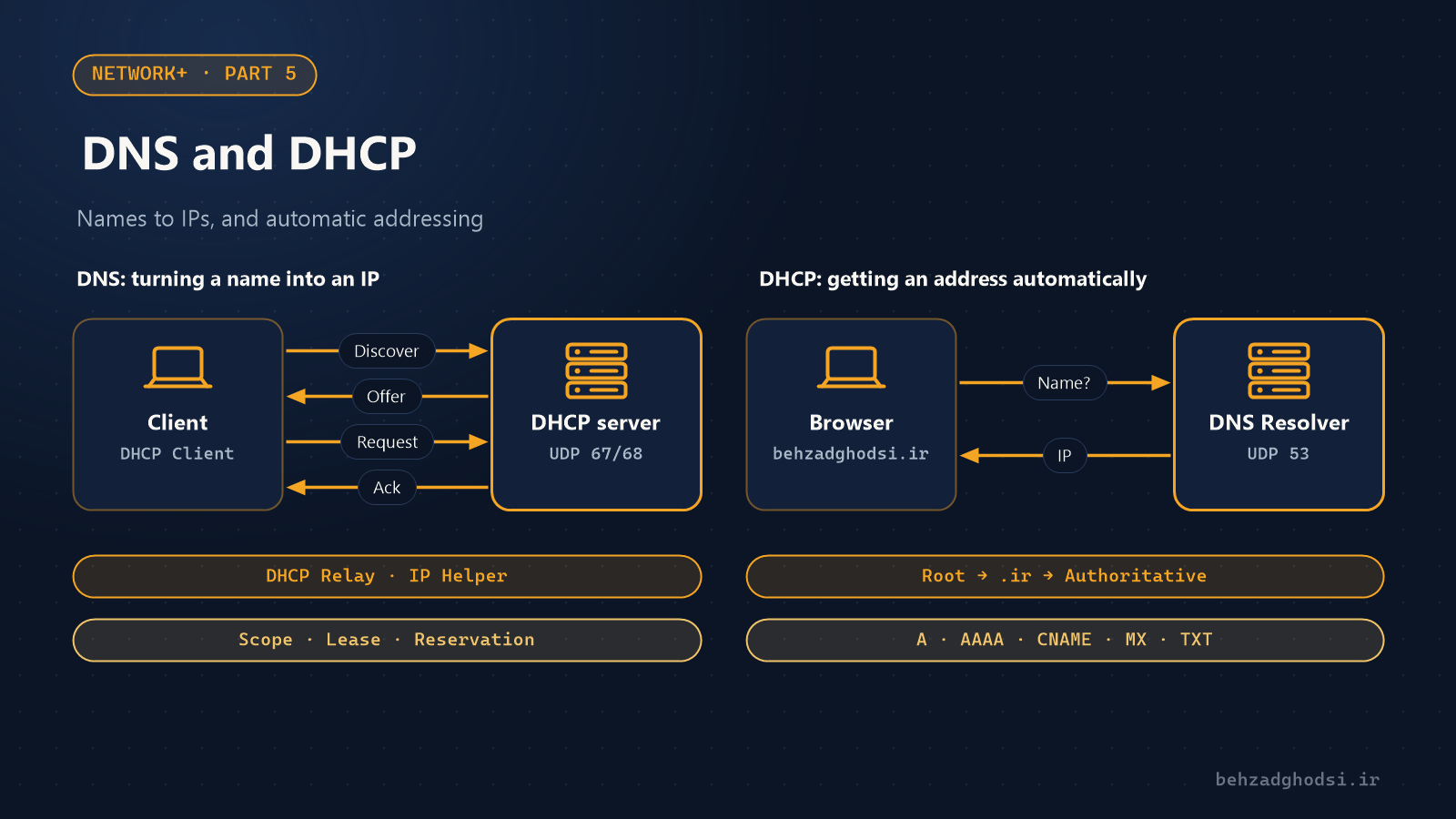
DNS turns website names into IP addresses and DHCP gives devices IP addresses automatically. This part covers how both work, the important DNS records, the DHCP DORA process and the commands for troubleshooting them.
· 3 min read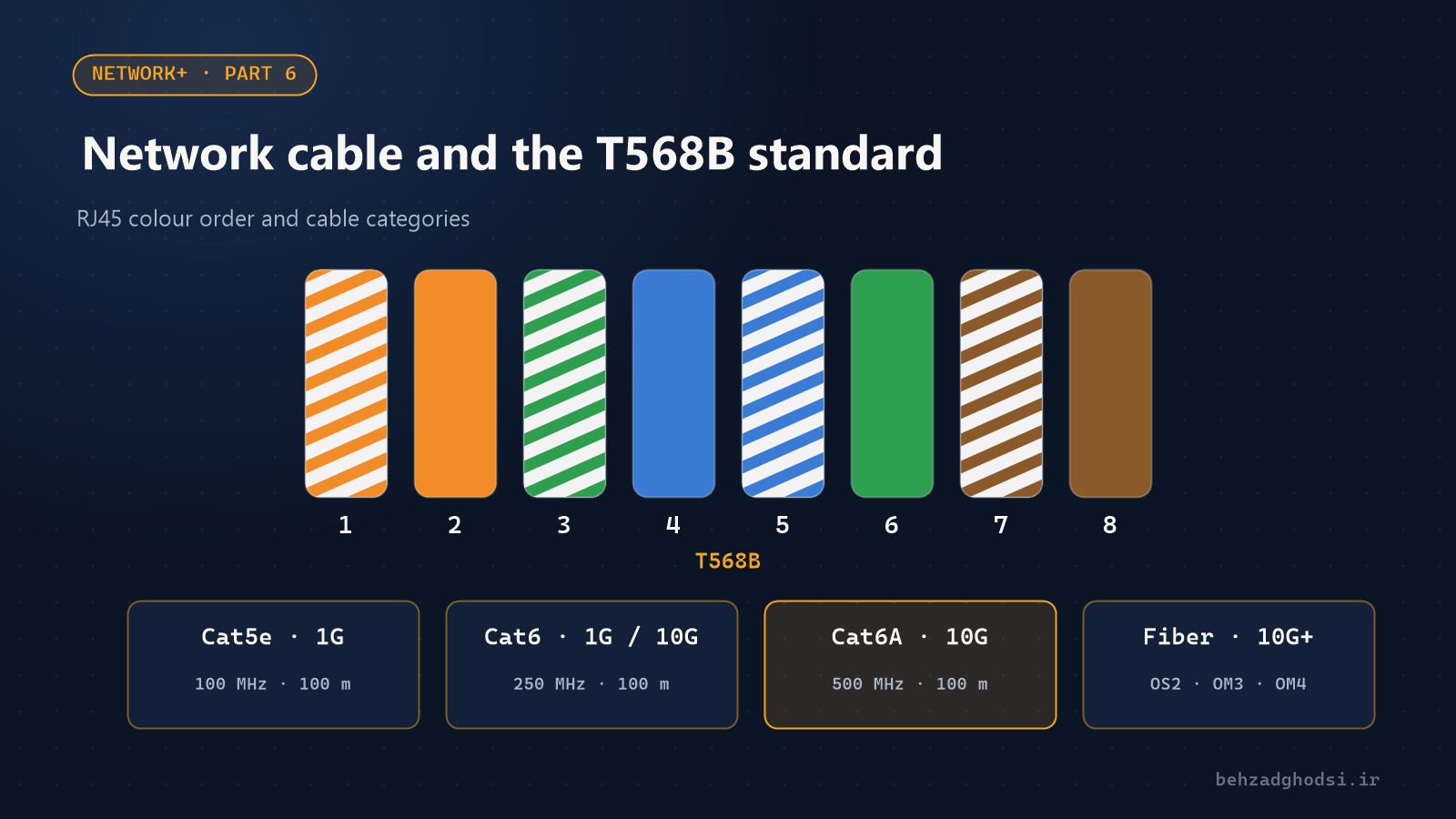
Types of network cable and the differences between Cat5e, Cat6, Cat6A and Cat8, the T568A and T568B wiring standards, shielded cable, and single-mode and multi-mode fibre, with practical tips for choosing and installing cabling.
· 3 min read