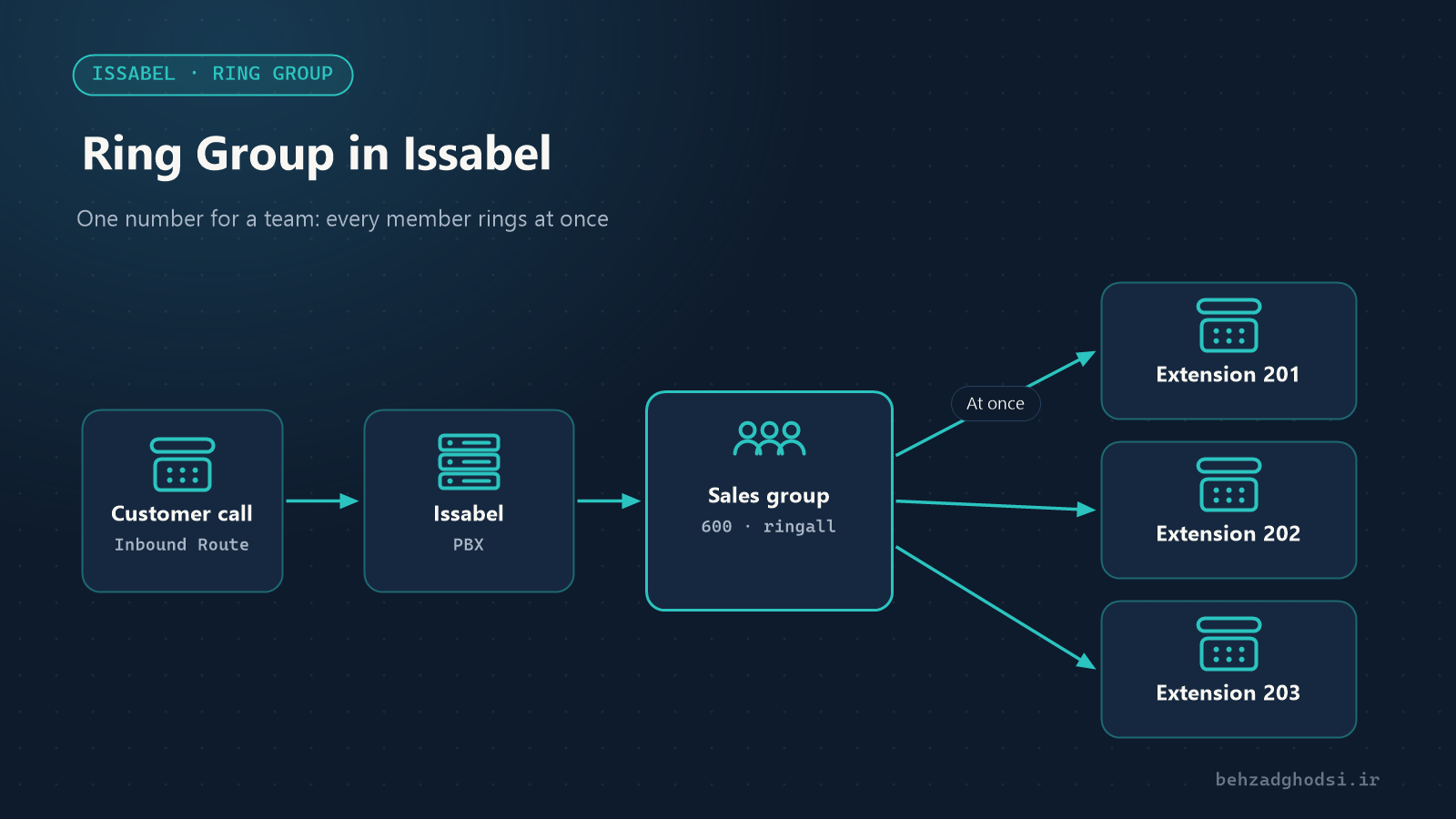
When a customer calls “Sales”, they do not care which salesperson answers; what matters is that someone does. A Ring Group in Issabel gathers several extensions under one shared number, so the call reaches a team instead of a single person.
What is a Ring Group for?
- Answering teams: sales, support, reception or the warehouse on one shared number, for example
600. - IVR options: “Press 1 for sales” goes straight to the sales group.
- Covering for colleagues: the receptionist’s and the assistant’s extensions ring together so management calls never go unanswered.
- Mixing extensions and mobiles: an external number can also be a member of the group.
Ring strategies
The most important decision when building a Ring Group is the Ring Strategy:
- ringall: all members ring at once and the first to answer takes the call. The most common choice for small teams.
- hunt: members ring one at a time, in list order.
- memoryhunt: first the first member, then the first and second together, then the first three, and so on.
- firstavailable: rings only the first member with a free channel.
- firstnotonphone: rings only the first member who is not on a call right now.
- random: picks a random member each time, to spread the load.
The prim variants (such as ringall-prim) mean that if the first member in the list is busy or on Do Not Disturb (DND), nobody else is rung either. This is for when the first member is the real owner of the line.
Creating a Ring Group step by step
From the PBX menu open PBX Configuration and choose Ring Groups. Click Add Ring Group.
- Ring-Group Number: the group number; it must not clash with any other extension, for example
600. - Group Description: the group name, for example “Sales”.
- Ring Strategy: one of the strategies above;
ringallto begin with. - Ring Time: how many seconds the members ring. 20 to 30 seconds works well.
- Extension List: the member extensions, one per line.
To add an external number, such as the on-call engineer’s mobile, write it with a # at the end:
201
202
203
07700900123#
Additional settings
- Announcement: a message played before the members ring.
- Play Music On Hold: play hold music instead of a ringing tone.
- CID Name Prefix: a prefix shown on the members’ phone displays, for example
Sales:, so they know the call came in on the sales line. - Ignore CF Settings: when enabled, members’ Call Forward settings are ignored and group calls do not go to their personal mobiles.
- Skip Busy Agent: members who are on a call are not rung.
- Confirm Calls: for external (mobile) members, ask for confirmation before the call is connected.
- Call Recording: record this group’s calls.
- Destination if no answer: where the call goes if nobody answers, for example the group voicemail, another Ring Group or an “unavailable” message.
Finally click Submit and then Apply Config.
Connecting the Ring Group to incoming calls
A Ring Group does not receive calls on its own. Make it the destination of one of these:
- Inbound Routes: calls on a landline or DID go straight to the group.
- IVR: one of the voice menu options leads to the group.
- Time Conditions: during working hours to the group, outside working hours to a “closed” message.
Ring Group or Queue?
Both spread calls across several people, but they serve different purposes:
- A Ring Group is simple and only rings for a short time. If nobody answers, the call moves on to the next destination. It suits small teams and low call volumes.
- A Queue keeps the caller waiting, announces their position, provides statistics, and lets agents log in and out of the queue. It suits call centres and high-volume support.
Rule of thumb: if several calls are often waiting at the same time, you need a Queue.
Troubleshooting
- Only one member rings: check the strategy;
huntandfirstavailablering one at a time on purpose. - Group calls go to members’ personal mobiles: enable Ignore CF Settings.
- Calls go to voicemail too quickly: increase Ring Time and make sure the individual extensions’ voicemail does not answer before the group does.
- The group number does not work: it clashes with an extension or a feature code. Choose a free number.
A Ring Group is the simplest way to make a call reach “a team” instead of “a person”. With the right ring strategy, a sensible ring time and a destination for unanswered calls, far fewer calls are missed. When call volume grows, move to a Queue.