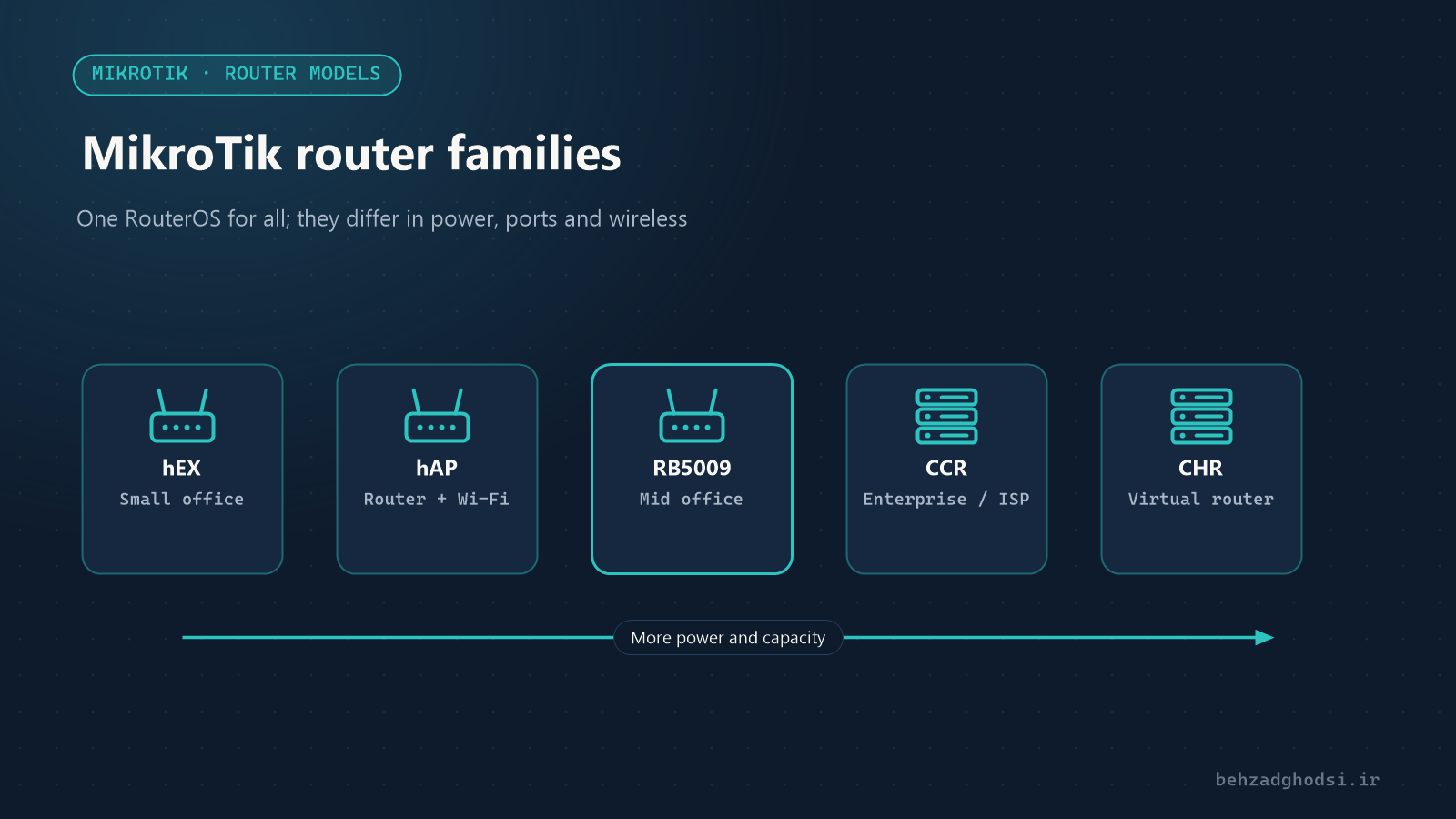
MikroTik is a Latvian company that makes both network hardware and the RouterOS operating system. The key point is that almost every MikroTik router, from the smallest home model to data-centre routers, runs the same RouterOS. So software features such as firewall, NAT, VPN and routing are the same everywhere; the real differences are processing power, the number and type of ports, and wireless features.
The main MikroTik router families
hEX: small, affordable wired routers
The hEX series are small wired routers with five gigabit ports, such as the popular hEX (RB750Gr3). They suit a small office, shop or branch with one or two internet lines. They have no Wi-Fi and are usually paired with an access point.
hAP: router with Wi-Fi
The hAP series combines a router and an access point in one device, such as the hAP ac² or the newer Wi-Fi 6 models hAP ax² and hAP ax³. They suit small offices that want one all-in-one device.
RB4011 and RB5009: powerful desktop routers
These two models are built for medium-sized offices with tens to hundreds of users:
- The RB4011 has ten gigabit ports and one SFP+ port for a 10-gigabit fibre link.
- The RB5009 has seven gigabit ports, one 2.5-gigabit port and one SFP+ port, with a stronger processor. It is a good choice for fast internet lines and many VPNs.
CCR: Cloud Core Routers for large networks
The CCR (Cloud Core Router) series are rack-mount routers with multi-core processors, such as the CCR2004 and the higher-end CCR2116 and CCR2216. They are used by large companies, data centres, internet service providers and anywhere with very high traffic and many simultaneous connections.
CRS and CSS: switches
The CRS (Cloud Router Switch) series are switches that also run RouterOS. They are excellent for switching and VLANs, but their processors are not built for heavy routing and firewalling. The CSS series are simpler switches running SwOS.
Outdoor wireless products
For wireless links between buildings and outdoor coverage, MikroTik offers families such as SXT, LHG and NetBox. They usually work alongside the main router.
CHR: the virtual router
CHR (Cloud Hosted Router) is the virtual edition of RouterOS, installed on VMware, Hyper-V, Proxmox or cloud servers. It suits data centres, VPN servers and labs.
RouterOS licences
Every MikroTik device has a licence level that limits some features, such as the number of tunnels or Hotspot users. RouterBOARD hardware is usually sold with the right licence for that device, so there is nothing extra to buy. CHR has separate licences that mainly limit speed. Check a device’s licence level under System → License.
How to choose the right model
Answer these questions:
- How fast is the internet line, and how much internal traffic is there? For a 100 Mbps line with NAT and a simple firewall, small routers are enough. For gigabit lines with firewalling, queues and VPN, go for an RB5009 or a CCR.
- How many users and simultaneous connections? More users mean a bigger connection table and more processing.
- Do you need fibre? If the link to the core switch or the provider is fibre, choose a model with SFP or SFP+ ports.
- Do you have heavy VPN and encryption? Models with newer processors encrypt much faster.
- Do you want Wi-Fi on the router itself, or separate? In medium and large offices it is better to keep the router and access points separate.
For an accurate comparison, see each model’s Test Results table on MikroTik’s official website. It shows the device’s throughput in different scenarios, such as plain routing and routing with 25 firewall rules, and is more realistic than the number on the box.
Tips before you buy
- Buy genuine devices. Counterfeit or tampered routers are a security risk.
- Keep RouterOS up to date. After buying, update the operating system and firmware first.
- Leave room to grow. Choose a model that will still cope if users or internet speed double.
The MikroTik router range runs from hEX and hAP for small offices, through the RB4011 and RB5009 for medium offices, to the CCR for large networks. Because the software is the same on all of them, choosing well comes down to speed, number of users, port types and VPN needs. In the next article we go through planning and initial set-up of a MikroTik router step by step.