One of the most common problems I see on MikroTik routers goes like this: users say the internet is slow, the router's CPU is above 80% and outbound traffic has grown for no clear reason. In many cases the cause is a single checkbox: Allow Remote Requests is enabled in the DNS settings and port 53 is left open to the internet.
Why is an open MikroTik DNS dangerous?
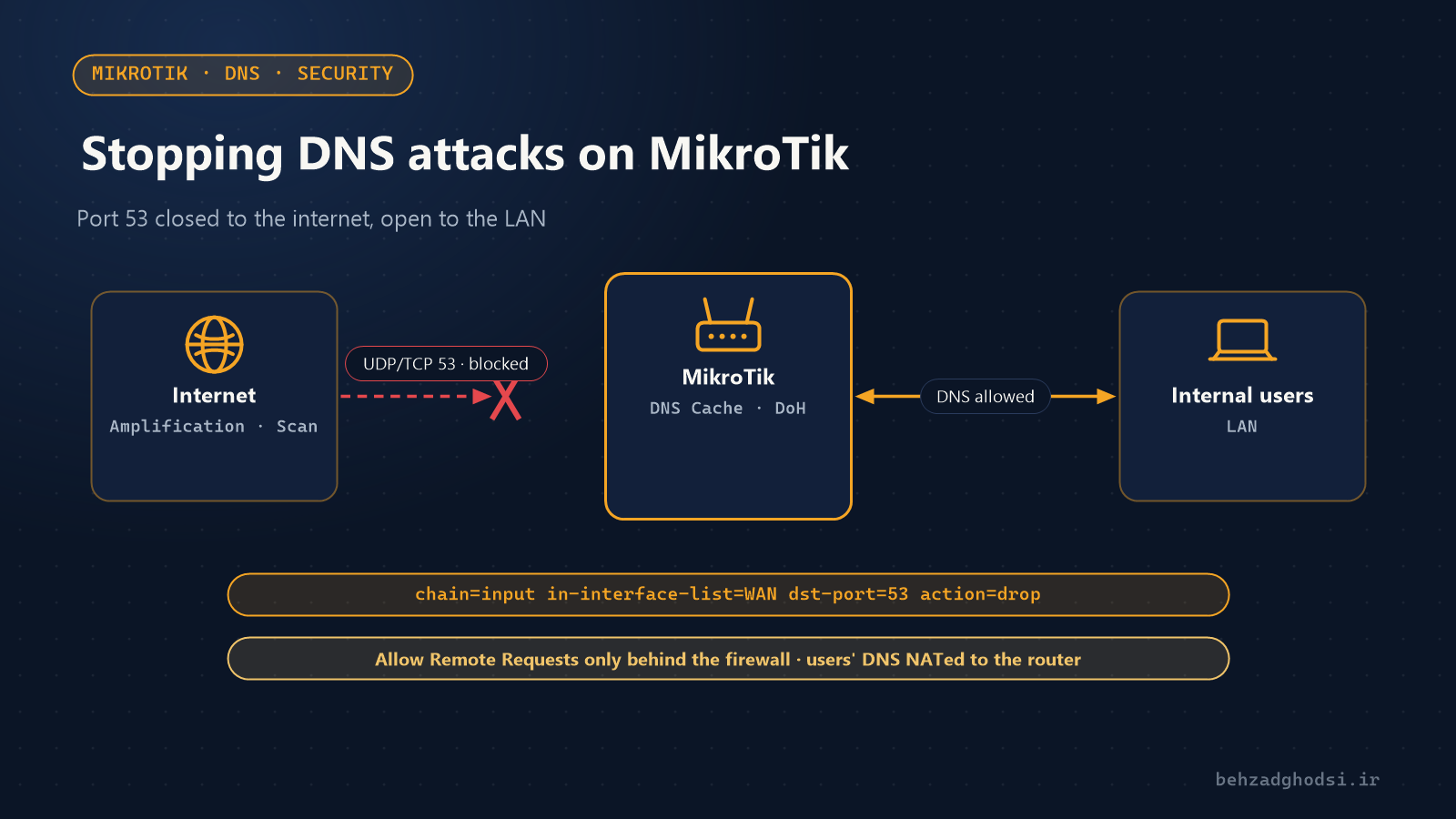
With Allow Remote Requests enabled, MikroTik answers anyone who sends it a DNS query; if the firewall doesn't block the WAN side, that means the whole internet. Such a router is called an open resolver, and it brings several risks:
- DNS amplification attacks: using the victim's spoofed address, an attacker sends small queries to your router, and your router sends answers dozens of times larger to the victim. Your router becomes part of a DDoS attack, your bandwidth is consumed and your ISP may block your address.
- High CPU and a slow network: thousands of requests per second make the router slow for your own users.
- DNS cache poisoning: forged answers can end up in the router's DNS cache and send users to fake sites.
- DNS hijacking: if the router is compromised, the attacker changes the DNS servers or static records so users are silently sent to fake or ad-filled sites.
Step 1: check the router's DNS
/ip dns print
/ip firewall filter print where chain=input
If allow-remote-requests: yes is set and there is no rule in the input chain blocking new connections from WAN, your DNS is open. To test from outside, run this from another internet connection (for example a phone); you should get a timeout, not an answer:
nslookup example.com YOUR-PUBLIC-IPStep 2: close port 53 from the internet
First make sure your internet ports are in the WAN list:
/interface list member printThen add two rules that drop DNS requests from WAN. place-before=0 puts them above all other rules so an earlier accept rule can't cancel them out:
/ip firewall filter
add chain=input in-interface-list=WAN protocol=udp dst-port=53 action=drop comment="Block DNS from WAN" place-before=0
add chain=input in-interface-list=WAN protocol=tcp dst-port=53 action=drop comment="Block DNS from WAN" place-before=0
If your internet link is PPPoE or L2TP, add that connection's interface to the WAN list, not the physical port.
The proper fix: a default-drop policy
Closing ports one by one isn't enough. The input chain should accept only what is needed and drop everything else:
/ip firewall filter
add chain=input connection-state=established,related,untracked action=accept
add chain=input connection-state=invalid action=drop
add chain=input protocol=icmp action=accept
add chain=input in-interface-list=LAN action=accept
add chain=input action=drop comment="Drop everything else"
Before applying the last rule, make sure you are connected from the LAN side, or use Winbox Safe Mode so changes roll back automatically if you lose access.
Step 3: force users to use the router's DNS
Malware and some users set DNS manually to other servers to bypass your filtering and monitoring. With a NAT rule, redirect every internal DNS request back to the router itself:
/ip firewall nat
add chain=dstnat in-interface-list=LAN protocol=udp dst-port=53 action=redirect to-ports=53
add chain=dstnat in-interface-list=LAN protocol=tcp dst-port=53 action=redirect to-ports=53
Step 4: prevent DNS hijacking
An attacker who gets into a router goes for DNS first. Check these regularly:
/ip dns print
/ip dns static print
/system scheduler print
/system script print
/user print- DNS servers and static records should be exactly the ones you set.
- An unknown scheduler or script is a sign of compromise.
- Keep RouterOS up to date; the large-scale MikroTik compromises of past years mostly hit old versions.
- Disable unused services and restrict Winbox and SSH access to internal addresses:
/ip service disable telnet,ftp,www,api,api-ssl
/ip service set winbox address=192.168.88.0/24
/ip service set ssh address=192.168.88.0/24
Step 5: DNS over HTTPS against snooping and tampering
In RouterOS 7 you can send the router's DNS queries encrypted over DoH, so they can't be read or altered on the way:
/ip dns set servers=1.1.1.1 use-doh-server=https://cloudflare-dns.com/dns-query verify-doh-cert=yesFor verify-doh-cert=yes, the DoH server's root certificate must be trusted on the router. If it isn't, import the root certificate first. The servers address is also needed to find the DoH server itself.
Step 6: monitor
After applying the rules, watch the counters. If the port 53 drop rule climbs fast, your router was being used and is now protected:
/ip firewall filter print stats where comment="Block DNS from WAN"
/system resource print
/tool torch interface=ether1 port=53
Quick checklist
- UDP and TCP port 53 are closed from the WAN side.
- The input chain has a default-drop policy.
- Users' DNS is redirected to the router with NAT.
- Static records, schedulers and router users are reviewed regularly.
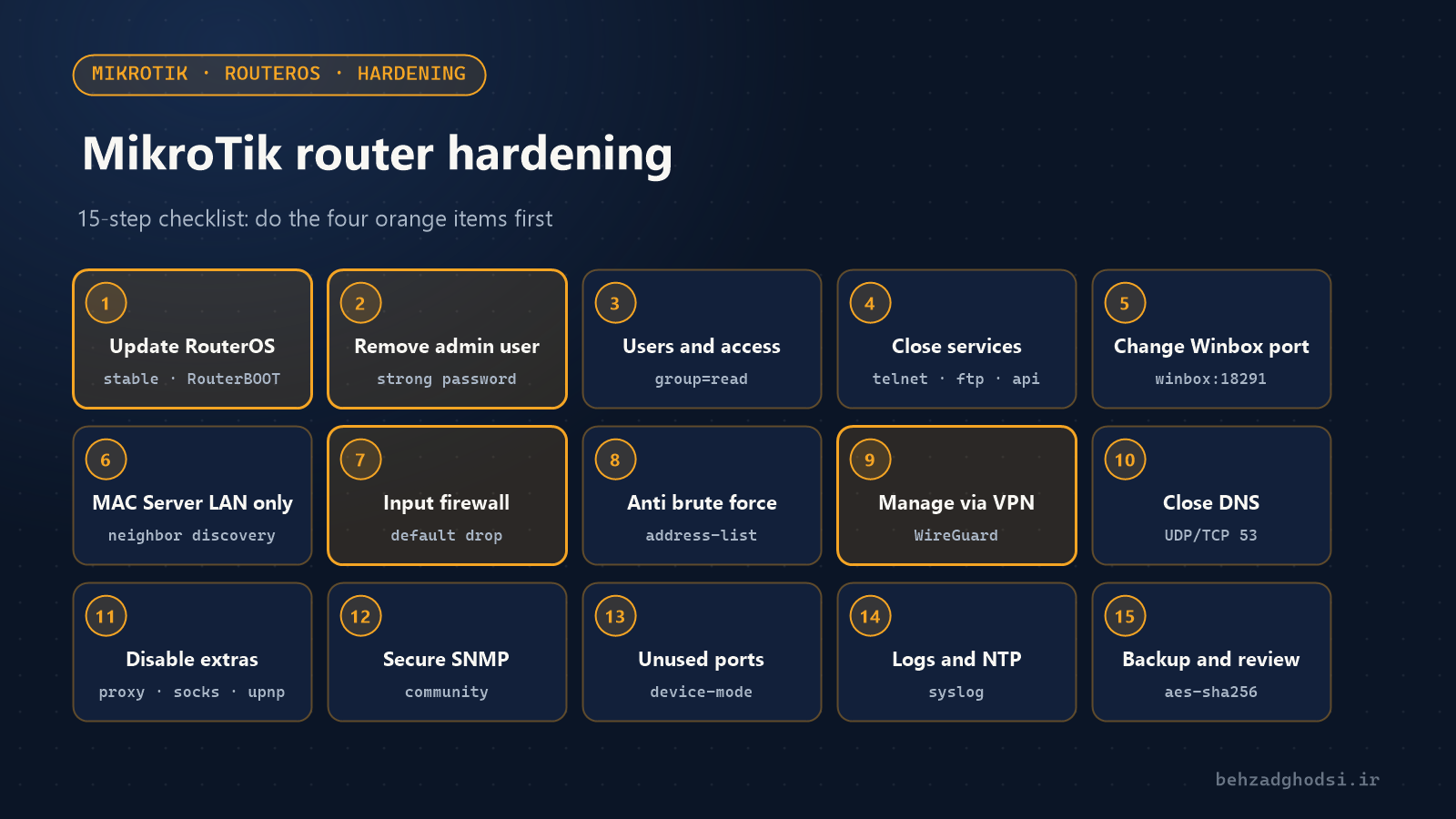
- RouterOS is up to date and unneeded services are disabled.
- DoH is enabled where possible.
For the rest of the router's security settings see MikroTik network security, and for secure remote access see remote access to MikroTik devices.