Many people talk to AI chatbots like a trusted friend: they paste in a company contract to summarise, send a medical test to interpret or copy a server password for troubleshooting. But remember: anything you type into a chatbot is stored on another company's servers.
Where do your conversations go?
- Storage: conversations are usually saved in your account until you delete them.
- Model training: on personal plans, including free ones, companies may use conversations to improve their models unless you turn this off in settings.
- Human review: some conversations may be reviewed by company staff for safety and quality.
- Leaks and shared links: if you share a conversation by link, anyone with the link can see it. In the past some of these links have even shown up in search results.
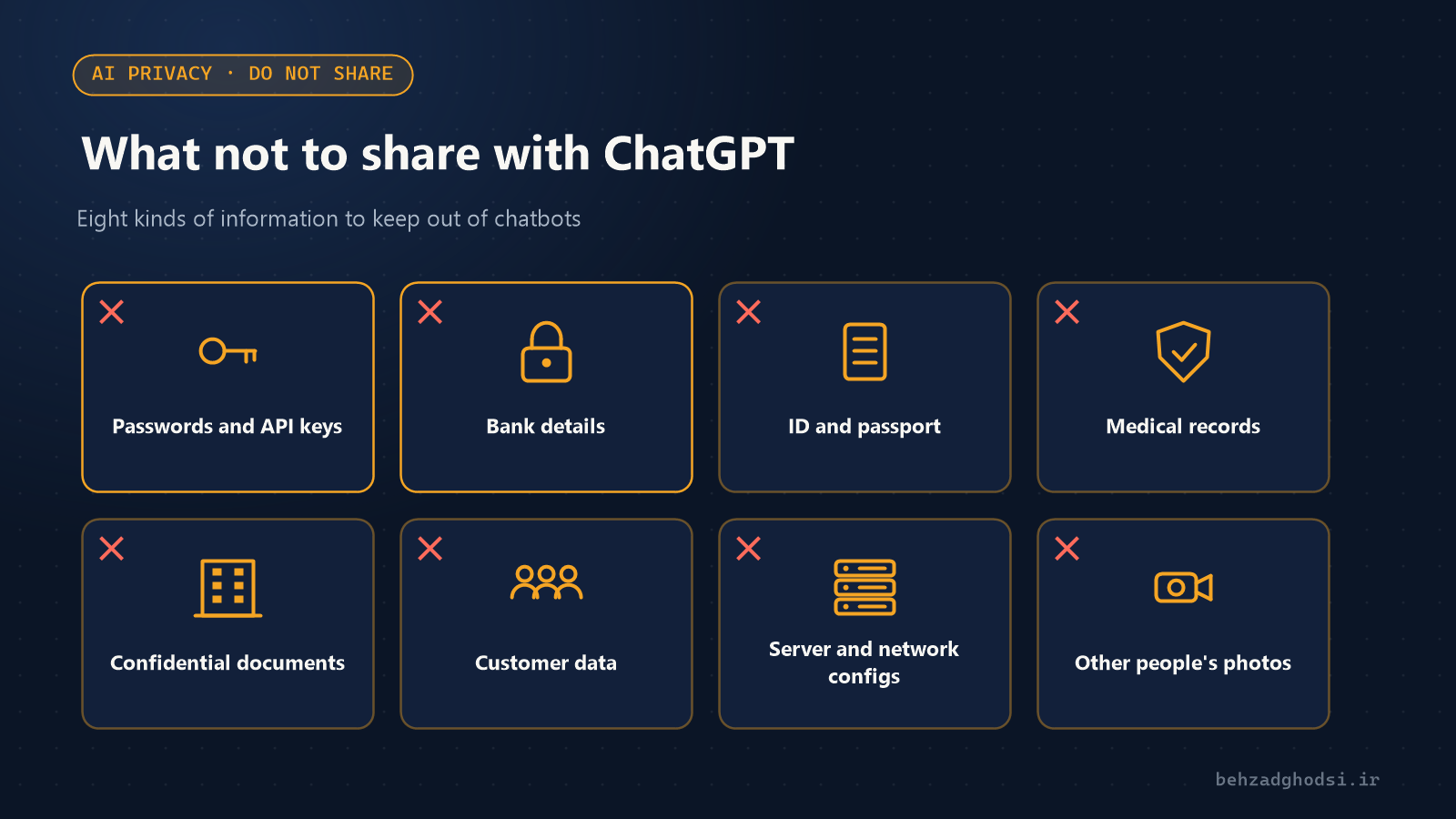
Eight things you shouldn't give AI
- Passwords, verification codes and API keys, even "just for a moment of troubleshooting".
- Bank details: card numbers, IBANs and CVV codes.
- National ID numbers, ID card images and passports.
- Identifiable medical information: if needed, remove names and personal details from test results.
- Confidential company contracts and documents on personal plans.
- Customer data: phone numbers, addresses and purchase history.
- Full network and server configurations with public IPs, usernames and passwords. For troubleshooting, replace sensitive values with sample ones.
- Photos and private information of other people without their permission.
Settings to check today
- Turn off model training: in ChatGPT go to Settings → Data Controls and turn off "Improve the model for everyone". Gemini and Claude have similar settings in their privacy sections.
- Temporary chats: use Temporary Chat in ChatGPT for sensitive questions. These chats don't appear in your history and aren't used for training, although OpenAI says it keeps them for up to 30 days for safety review.
- Clear your history and old shared links.
- Two-factor authentication on your chatbot account; a hacked account exposes your entire chat history.
For companies
Banning AI outright rarely works: employees use it on personal accounts and you lose control. A better approach:
- Write a clear policy on what information is and isn't allowed.
- Use business plans (Business or Enterprise) that contractually don't use your data for training.
- For highly sensitive data, consider a local model on the company's own server.
- Train staff on phishing and voice cloning scams.
To secure your network and server infrastructure, see the network security and firewall service.