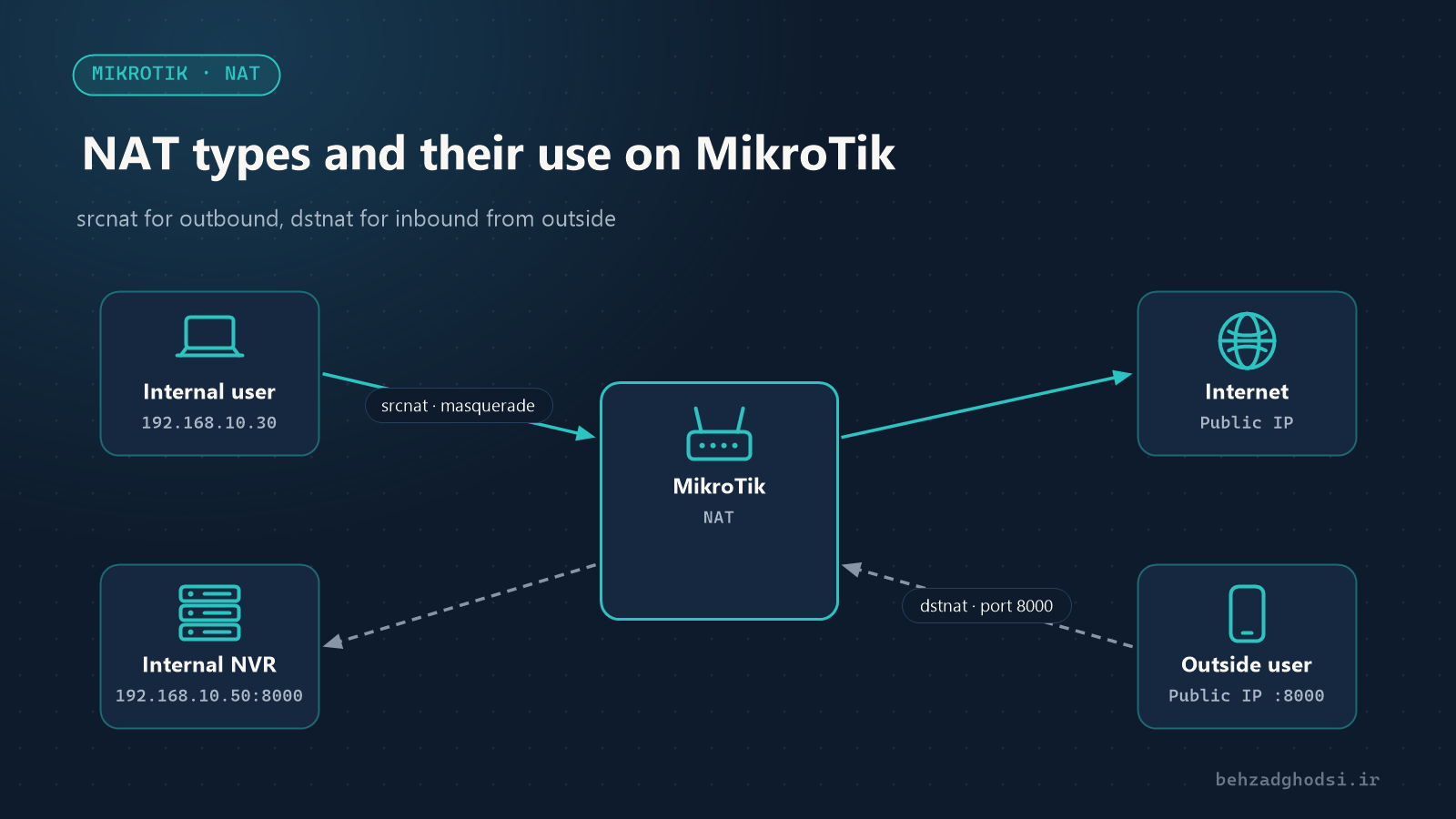
NAT (Network Address Translation) means changing the source or destination address of packets as they pass through the router. Internal networks use private addresses (such as 192.168.10.0/24) that cannot be routed on the internet. NAT lets internal users reach the internet, and it lets an internal service be reached from outside.
On MikroTik, NAT is configured under IP → Firewall → NAT and has two main chains:
- srcnat: changes the source address, for traffic leaving the network.
- dstnat: changes the destination address, for traffic coming in from outside.
The examples assume the internet is on the WAN interface list and the internal network is 192.168.10.0/24.
1. masquerade: internet for internal users
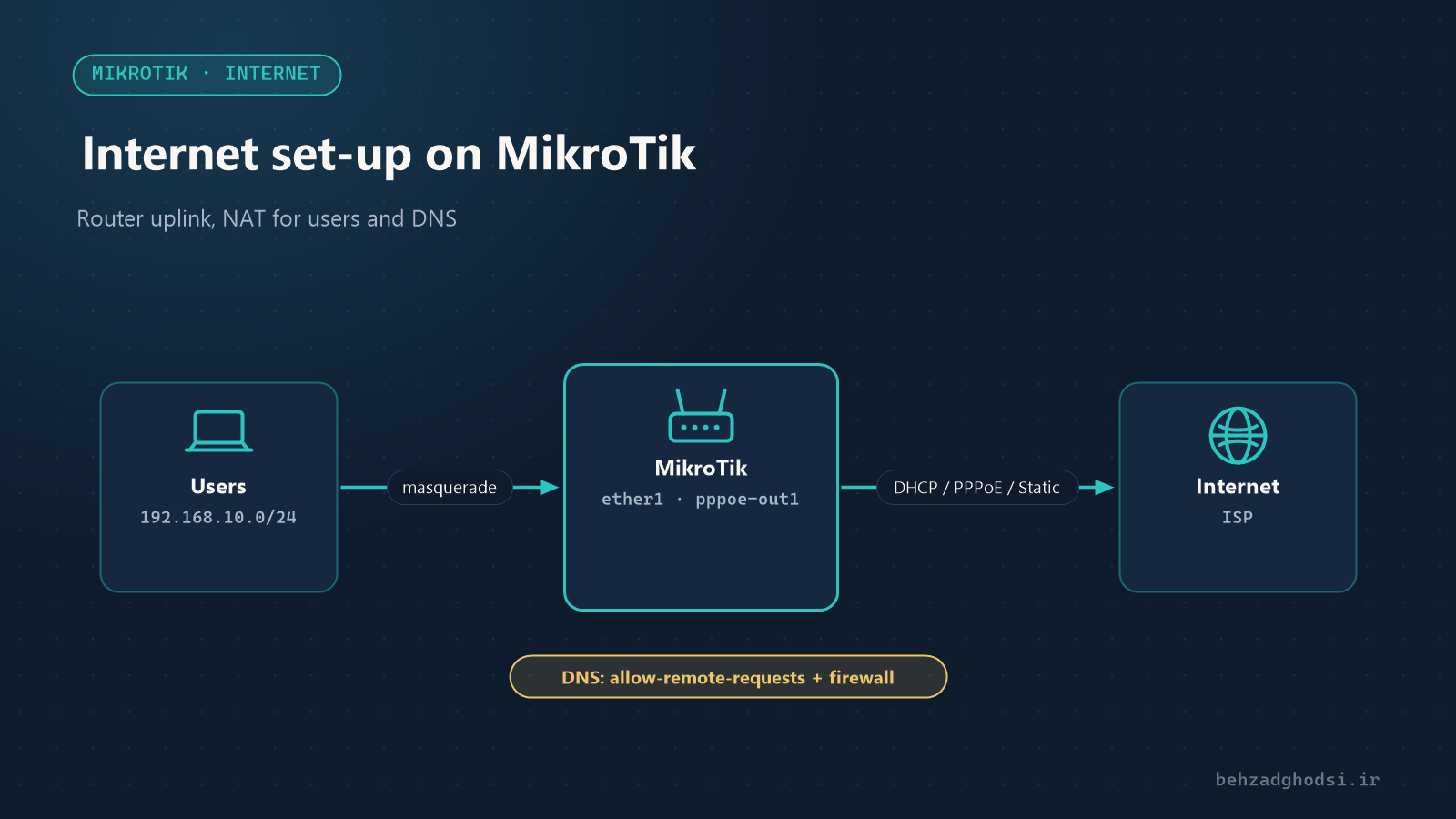
The most common NAT. Every internal user’s address is translated to the address of the router’s internet interface:
/ip firewall nat add chain=srcnat src-address=192.168.10.0/24 out-interface-list=WAN action=masquerademasquerade suits internet connections whose address changes, such as PPPoE or DHCP. The router uses the interface’s current address itself.
2. src-nat: when you have a static IP
With a static public IP, src-nat is slightly more efficient and lets you set the outgoing address precisely:
/ip firewall nat add chain=srcnat src-address=192.168.10.0/24 out-interface=ether1 action=src-nat to-addresses=203.0.113.10Another common use: if you have several public IPs, you can send one part of the network, such as the mail server, out through a specific IP so its address stays stable in anti-spam lists.
3. dstnat or port forwarding: reaching an internal service from outside
Suppose the camera recorder (NVR) at 192.168.10.50 runs on port 8000 and you want to reach it from outside:
/ip firewall nat add chain=dstnat in-interface-list=WAN protocol=tcp dst-port=8000 action=dst-nat to-addresses=192.168.10.50 to-ports=8000 comment="NVR"Another example: Remote Desktop to a computer on a different external port:
/ip firewall nat add chain=dstnat in-interface-list=WAN protocol=tcp dst-port=33890 action=dst-nat to-addresses=192.168.10.30 to-ports=3389Security warning: every port you open can be reached from the whole internet. Remote Desktop, camera panels and device management panels are constantly attacked. Wherever possible, use a VPN instead of port forwarding, or restrict access to specific addresses (src-address-list). See Reaching devices from outside the network.
4. Hairpin NAT: reaching the service by its public address from inside
A common problem: port forwarding works from outside, but when you connect to the service from inside the network using the public address or domain name, it fails. The reason is that the internal service replies directly to the internal user and the connection breaks.
The fix is hairpin NAT. First write the dstnat rule so it matches the public address, not just the WAN interface:
/ip firewall nat add chain=dstnat dst-address=203.0.113.10 protocol=tcp dst-port=8000 action=dst-nat to-addresses=192.168.10.50 to-ports=8000Then add a masquerade for internal traffic to that server:
/ip firewall nat add chain=srcnat src-address=192.168.10.0/24 dst-address=192.168.10.50 protocol=tcp dst-port=8000 out-interface=bridge-lan action=masquerade comment="Hairpin NAT"If your IP is not static, a simpler way is to point the domain name at the server’s internal address in the internal DNS (IP → DNS → Static).
5. netmap: one-to-one NAT for a whole network
netmap maps one address range to another range of the same size. A common use is connecting two branches that use the same internal network:
/ip firewall nat add chain=srcnat src-address=192.168.10.0/24 dst-address=10.20.0.0/24 action=netmap to-addresses=10.10.10.0/24Rule order matters
MikroTik checks NAT rules from top to bottom and applies the first one that matches. Put specific rules (such as hairpin or NAT to a specific IP) above the general masquerade.
Checking and troubleshooting
/ip firewall nat print statsThe bytes and packets columns show which rules are being used. If port forwarding does not work:
- Make sure the public IP is directly on the MikroTik. If there is a modem in front of it, you must forward the port on the modem too.
- Some providers give home subscribers a private address (CGNAT); port forwarding is then impossible and the solution is a VPN.
- Does the firewall (chain=forward) allow dstnat traffic? In the default firewall, the
connection-nat-state=!dstnatrule controls this. - The internal device’s gateway must be the MikroTik’s address.
srcnat for going out (masquerade for a changing IP, src-nat for a static IP), dstnat for coming in from outside, hairpin for internal access by public address and netmap for mapping a whole network. Every port you open is a security risk; open fewer and use VPN more. Next: routing on MikroTik.